Reviewed by the Freelance OS editorial team · Editorial policy
UpworkHow to Build a Successful Upwork Career From Scratch
To succeed on Upwork in 2026, build a repeatable system: position a clear service, show relevant proof, evaluate jobs before spending Connects, write contextual proposals, follow up, deliver reliably, and track what improves your results.
To succeed on Upwork in 2026, build a repeatable workflow instead of chasing proposal volume. Position a clear service, prove that you can deliver it, choose jobs carefully, write proposals around the client’s problem, follow up professionally, deliver well, and review the results. Freelance OS, an AI operating system for freelancers, helps connect those steps so you can stop starting from scratch every time you apply for work.
#The Upwork success flywheel
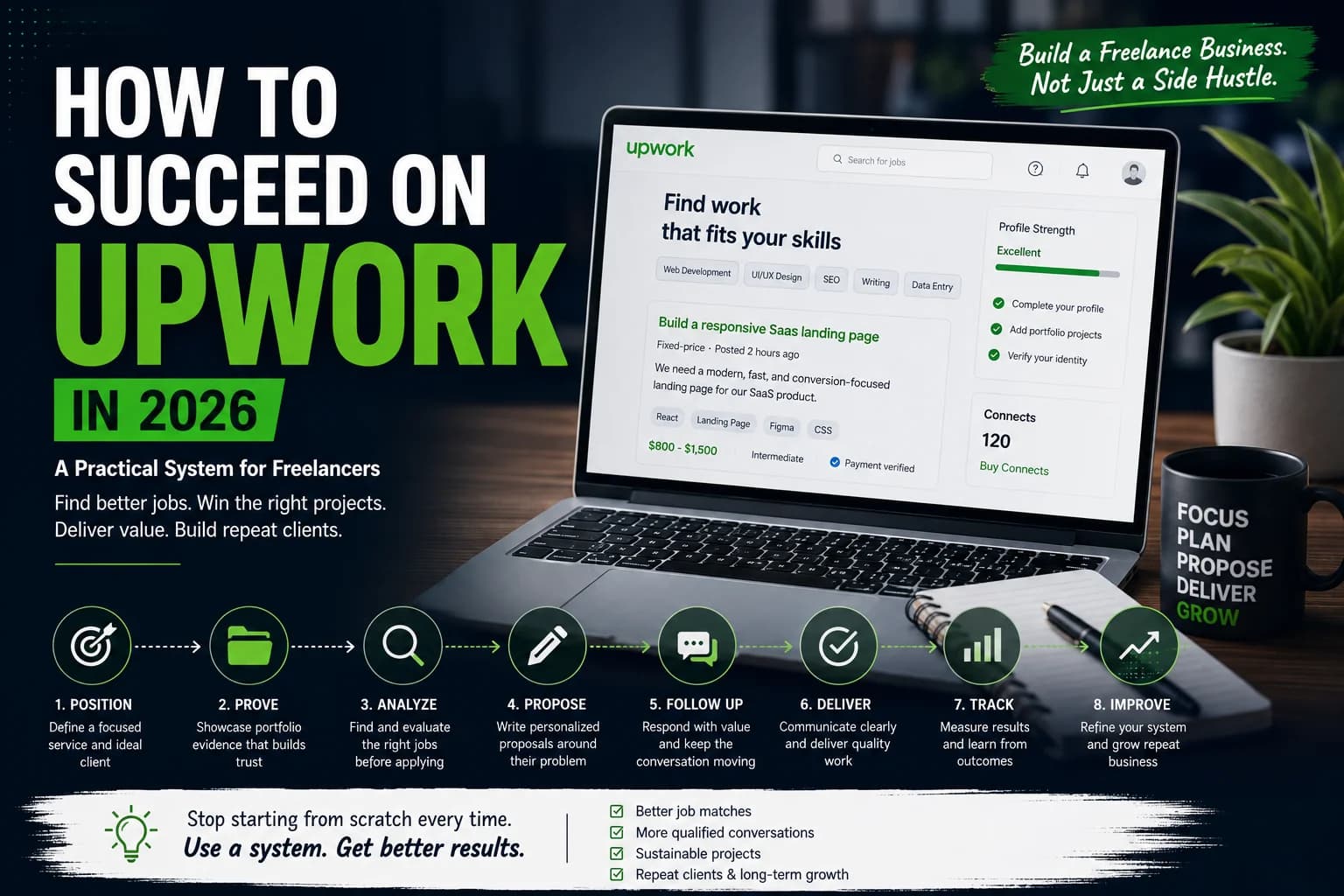
The Upwork success flywheel is: position → prove → analyze → propose → follow up → deliver → track → improve. Each stage makes the next one easier: clear positioning improves job selection, relevant proof strengthens proposals, and reliable delivery creates repeat work and better evidence for future applications.
Success is not simply the number of proposals sent. A healthier operating view includes:
- Qualified conversations with clients who have a real need
- Projects that fit your skills, capacity, and target margin
- Delivery without unpaid overtime becoming normal
- Repeat work, referrals, or permission to publish useful proof
- Improving conversion at a specific stage of the workflow
#Choose a clear niche and position your service
A strong Upwork position combines a recognizable buyer, a defined service, and a problem that buyer will pay to solve. It should be narrow enough to be memorable but broad enough to produce a workable supply of jobs.
| Weak positioning | Stronger positioning |
|---|---|
| Graphic designer | B2B SaaS landing-page designer for product launches |
| Full-stack developer | React and Node.js developer for internal operations tools |
| Content writer | SEO writer for cybersecurity software companies |
| Virtual assistant | Executive assistant for remote agency founders |
“I build websites” describes an activity. “I build Webflow landing pages for early-stage SaaS companies preparing for paid acquisition” identifies the service, buyer, and business context.
Test a niche against four questions:
- Can you find legitimate listings for this service?
- Can you create convincing, relevant samples?
- Can you deliver the work at a sustainable pace and price?
- Do qualified clients understand the position quickly?
A niche is a working hypothesis, not a permanent identity. Start with one service and adjust the target market after reviewing which listings, conversations, and projects produce the best fit.
#Optimize your Upwork profile for credibility
Upwork profile optimization works when your title, overview, skills, work history, rate, and portfolio all support one clear service. A profile that lists unrelated capabilities forces each client to decide which version of you is relevant.
A weak opening sounds like this:
Passionate web developer with years of experience creating high-quality websites and providing excellent customer service.
A stronger version is more concrete:
I build and repair React and Node.js internal tools, including dashboards, multi-step forms, and API-connected workflows. For troubleshooting projects, I reproduce the issue, trace the affected state or endpoint, and document the repair plan before changing production code.
The stronger version names deliverables and explains how the freelancer works. It gives the client a reason to continue reading.
Keep the fundamentals accurate:
- Use a title that matches the service you want to sell.
- Put the most relevant skills and experience near the top.
- Describe your personal contribution to team or agency projects.
- Set rates and availability honestly.
- Use a professional photo that meets Upwork’s current requirements.
- Keep credentials, employment history, and outcome claims verifiable.
Freelance OS’s Profile workspace can help organize skills, portfolio items, rates, work history, and Upwork profile information before you send proposals.
#Set a rate that supports delivery
Your rate needs to cover proposal time, administration, software, taxes, revisions, client delays, and other non-billable work.
Minimum hourly rate =
(target income + business costs + desired buffer)
÷ realistic billable hours
Treat this as a planning floor, not a universal Upwork recommendation. Compare it with your proof, service complexity, client budget, contract type, taxes, and current Upwork fees.
For fixed-price projects, clarify milestones, deliverables, deadlines, revision limits, and client dependencies before starting. For hourly work, follow the current requirements for time tracking and record keeping. Upwork rules and fees can change by contract type, account, and location, so verify current details in the Upwork Help Center.
#Build relevant portfolio proof
A useful Upwork portfolio demonstrates that you understand a similar problem and can produce a credible deliverable. Relevance usually matters more than the number of samples.
Each case study should explain:
- The client situation or project brief
- Your specific contribution
- The deliverable, screenshots, excerpts, or diagrams
- Constraints such as access, time, or technical limitations
- Key decisions and why you made them
- Verified outcomes, if publication is permitted
With no client history, create a self-initiated demonstration project and label it accurately. A developer might build an inventory dashboard with sample data. A writer could create an SEO brief and content cluster for a fictional cybersecurity company. A designer could redesign the onboarding flow for a fictional accounting tool.
Do not present practice work as paid client work. Remove confidential information and avoid results you cannot verify. Freelance OS’s Portfolio Studio can turn project notes into case-study drafts and shareable showcases, but you remain responsible for checking accuracy and permissions.
#Find better jobs before spending Connects
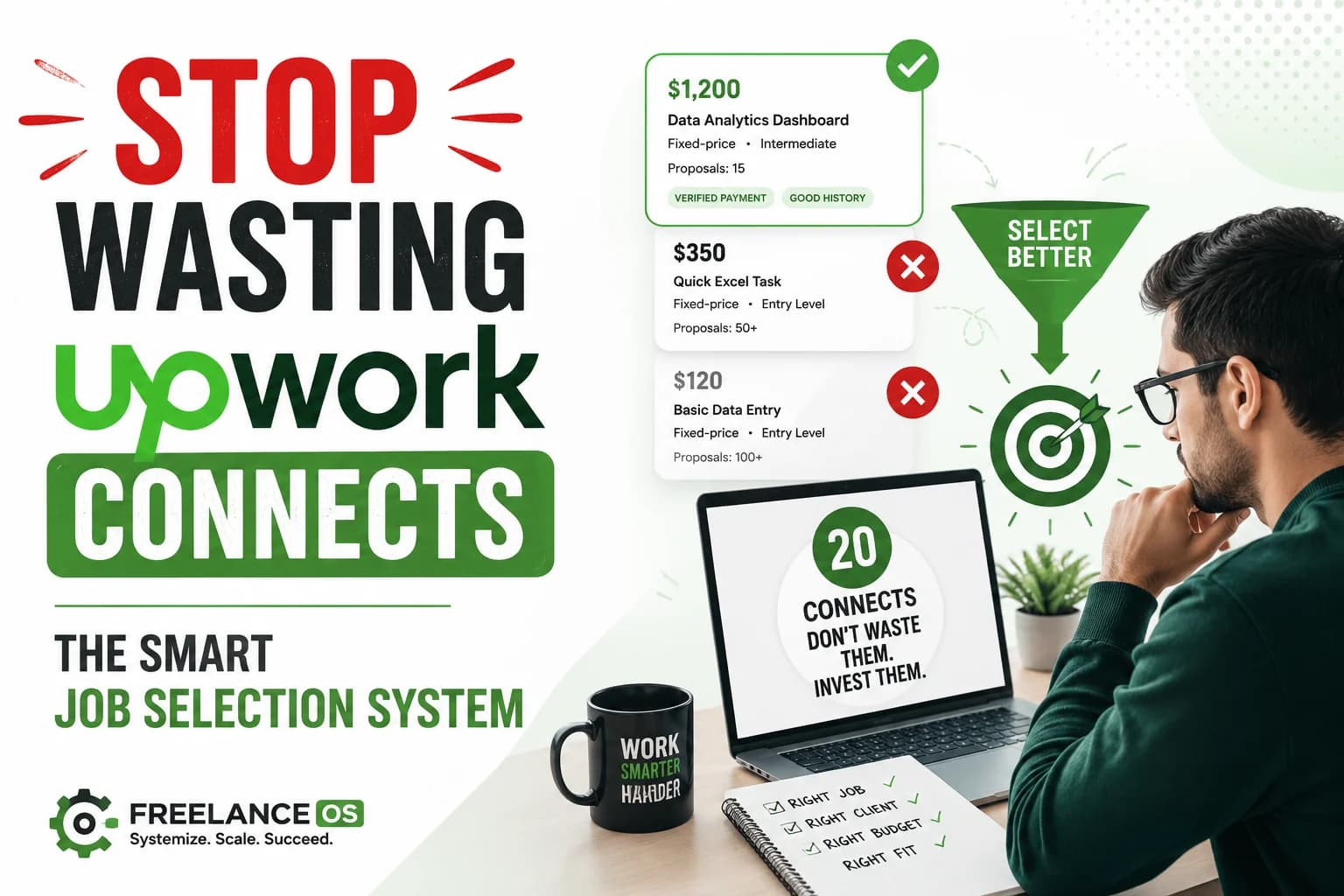
The best way to get more Upwork jobs is often to apply to fewer, better-matched listings. Before spending Upwork Connects, confirm that the problem matches your service, you have supporting proof, and the first milestone can be defined.
Use this compact screening checklist:
| Check | 0 points | 1 point | 2 points |
|---|---|---|---|
| Problem match | Outside your service | Adjacent experience | Direct match |
| Portfolio match | No supporting artifact | Partial example | Comparable case study |
| Scope | Essential details missing | Some questions remain | Clear first milestone |
| Budget | Implausible for scope | Needs discussion | Plausible starting point |
| Client signals | Serious concerns | Limited information | Specific, credible brief |
| Advantage | No clear reason to choose you | General capability | Specific method or experience |
A score of 8 out of 12 can be a useful starting threshold. It is not a universal rule; recalibrate it after you have enough comparable applications to see which scores produce qualified conversations.
#Worked job-scoring example
Suppose a client wants a React dashboard repaired and improved:
- Problem match: 2, because the work directly matches your service
- Portfolio match: 2, because you have a comparable dashboard case study
- Scope: 1, because the bug is described but the codebase is not
- Budget: 1, because the budget may work for diagnosis but not the full rebuild
- Client signals: 2, because the brief names users, deadlines, and current symptoms
- Advantage: 2, because you can begin with a staging diagnosis and document the repair path
Total: 10/12.
This is a strong application candidate, but the proposal should recommend a small diagnostic milestone rather than promise a fixed final price before reviewing the code.
You can use Freelance OS’s Job Analyzer to organize fit, risk, skills, and scope questions before deciding whether a listing deserves Connects.
#Common Upwork job red flags
Treat these signals as reasons to ask questions or decline, not automatic proof that a client is unsuitable:
- A large unpaid test that resembles production work
- A budget materially below the stated scope
- Unlimited revisions or undefined ownership terms
- Pressure to misrepresent credentials, reviews, identity, or results
- Pressure to move payment or communication outside current Upwork rules
- A fixed-price demand with essential requirements withheld
- Hostile descriptions of every previous freelancer
- Constant availability expectations without a defined support arrangement
A vague job can still be workable if the client agrees to define a paid discovery or diagnostic milestone. The more serious risk is a client who refuses to clarify material requirements while demanding a final price and deadline.
#Write proposals around the client’s problem
A good Upwork proposal shows that you understood the assignment, have relevant proof, and can define a sensible first step. It does not repeat your entire profile.
#Poor proposal
Hi, I am an experienced designer and can complete your project professionally. I have excellent communication skills and am available immediately. Please check my profile.
#Better proposal
Your landing page needs to explain a technical product before asking visitors to book a demo. I would first separate the message for operations buyers from the implementation detail technical evaluators need, then turn that hierarchy into a wireframe. I have a comparable B2B SaaS messaging and wireframe sample. Which audience currently creates the most qualified demos?
The second proposal contains a diagnosis, an approach, relevant proof, and a question that affects scope.
Use this structure:
- Mention a specific problem, constraint, or detail from the listing.
- Explain how you would investigate or begin.
- Connect your approach to one comparable portfolio item.
- State an assumption or dependency.
- Ask one useful scope question.
- Suggest a sensible first action or milestone.
Generic templates often fail because they can be sent unchanged to dozens of clients. Generic AI proposals have the same weakness: fluent wording is not evidence that the freelancer understood the job.
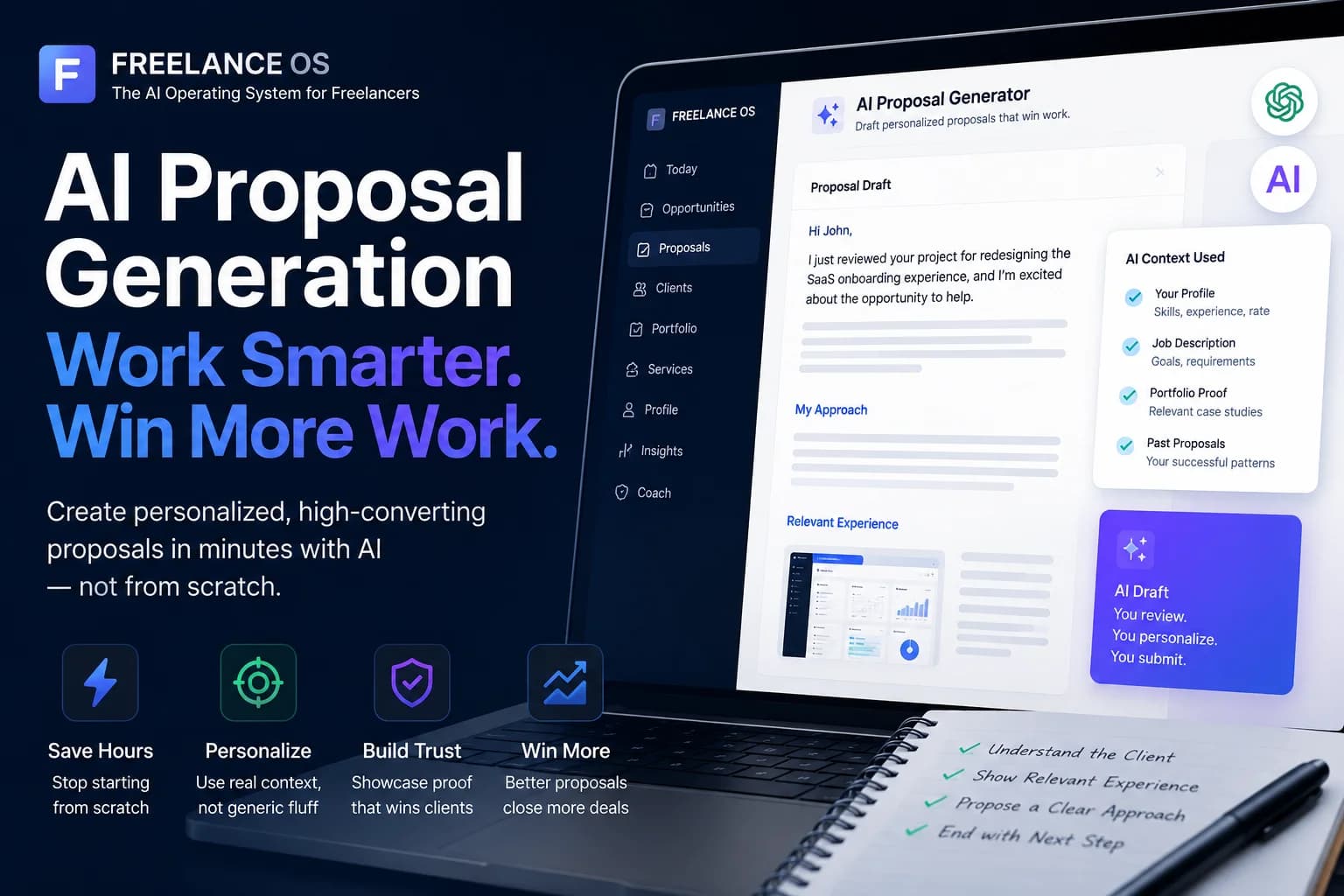
Templates remain useful for repeatable structure. Save reusable sections for discovery questions, handoffs, and common services, then rewrite the parts that must reflect the individual listing. Freelance OS’s Proposal workspace can use job context, profile information, and relevant proof to create a draft, but the workflow remains manual: the OS drafts, you review, you submit.
#Use AI without outsourcing judgment
AI can help extract requirements from a job post, identify missing information, compare the brief with your profile, suggest discovery questions, organize a proposal, and produce a first draft.
Before submitting an AI-assisted proposal, review:
- Every experience, tool, result, and availability claim
- The opening reference to the actual client problem
- The relevance and publication permissions for the portfolio sample
- The realism of the timeline and proposed milestone
- Any confidential or client-specific information
- The tone and wording you would use in a real conversation
Freelance OS is broader than an AI proposal generator. It connects Profile, Opportunities, Proposals, Portfolio, Clients, Services, Coach, Insights, and Today in one workspace. It does not automatically apply, bid, submit proposals, or message clients. Recommendation Engine and AI Business Reviews are coming soon, not live features.
#Follow up and manage potential clients
A follow-up should confirm an agreed action or add useful information. Repeating “Just checking in” several times rarely improves an application.
A stronger follow-up might say:
I reviewed the project details again. The first milestone could cover reproducing the dashboard issue in staging, identifying the affected state update, and documenting the fix plan. That would confirm the repair path before estimating broader regression work.
Record the listing, date sent, Connects spent if applicable, proposal angle, portfolio sample, response, interview, follow-up date, and outcome. This prevents promising conversations from disappearing into message history.
#Deliver well and create repeat work
Repeat Upwork clients usually come from reliable delivery, clear scope management, and a useful next-step recommendation. Before starting, confirm deliverables, exclusions, deadline, dependencies, revision limits, approval responsibility, and how scope changes will be handled.
A useful milestone confirmation is:
Milestone one covers the responsive landing-page wireframe, desktop and mobile layouts, and one revision round. Copywriting and development are outside this milestone.
Send progress updates before the client has to ask. At handoff, summarize what was delivered, provide the required files or documentation, and mention a follow-on task only if the work genuinely revealed one.
#Track outcomes and improve one stage
Track proposals, views, replies, interviews, wins, losses, contract value, delivery margin, and repeat-work opportunities. The pattern helps identify the failing stage:
- Few suitable listings: revisit the niche or search criteria.
- Many applications but few qualified replies: improve screening and proposal openings.
- Replies but few interviews: review scope framing, availability, and questions.
- Interviews but few contracts: examine proof, discovery, pricing, and risk handling.
- Completed projects but little repeat work: improve communication, handoff, and next-step recommendations.
Change one major variable at a time. If you change your niche, rate, portfolio, and proposal style together, you will not know which change affected the outcome.
#First 30 days with no reviews or client proof
A new freelancer should use the first month to build evidence and a disciplined application habit, not to chase maximum volume.
- Days 1–3: Choose one service, one buyer type, and one recurring problem. Write a profile opening that names the deliverable and working method.
- Days 4–7: Create one honest demonstration project and one short case study. Add the project to your Upwork profile with clear labels showing that it is self-initiated.
- Week 2: Review relevant listings without applying to all of them. Score at least 15 jobs using the fit checklist and identify recurring client language.
- Week 3: Submit a small number of highly relevant proposals. Each should reference the listing, use one matching proof item, and propose a manageable first milestone.
- Week 4: Review replies, interviews, objections, and job quality. Improve the weakest stage, then create a second proof asset or refine the niche based on evidence.
If a client asks for experience you do not have, answer directly and show the closest valid proof. Credibility grows faster from accurate positioning than from inflated claims.
#A simple weekly Upwork routine
- Monday: Review capacity, deadlines, active interviews, and follow-up dates.
- Tuesday–Thursday: Screen listings and submit targeted proposals for jobs above your fit threshold.
- Friday: Record outcomes and fix one bottleneck.
- Monthly: Review Connects spent, qualified replies, interviews, contracts, margin, and repeat-work opportunities.
Do not force a daily proposal quota when suitable listings are unavailable. Two well-screened applications can be a better business decision than ten weak ones.
#Frequently asked questions
#How do I get jobs on Upwork without reviews?
Create an honestly labelled demonstration project for a narrow service and apply to listings where that proof addresses the assignment. Describe a realistic first milestone and ask useful scope questions instead of making broad claims.
#How can I get more Upwork jobs without sending more proposals?
Improve the stage losing qualified clients. The problem may be job selection, portfolio relevance, proposal openings, interview preparation, pricing, or delivery follow-through.
#How many Upwork proposals should I send each day?
There is no dependable universal target. Apply when a listing meets your fit threshold and you have capacity to handle a reply, interview, and project. Track qualified conversations per application rather than daily volume.
#Does Freelance OS submit Upwork proposals for me?
No. Freelance OS provides analysis, drafts, and suggestions. You review and edit the proposal, then submit it manually through the appropriate Upwork workflow.
#What should I track after sending a proposal?
Track the job, fit score, Connects spent if applicable, proposal angle, portfolio proof used, views, replies, interviews, follow-ups, outcome, and any lesson. This turns applications into evidence for improving your next decision.
#Key takeaways
- Position one clear service before increasing proposal volume.
- Use relevant proof to make your profile and proposals credible.
- Analyze fit, scope, budget, client signals, and risk before spending Connects.
- Use AI for research and drafting, then verify every claim and submit manually.
- Deliver with clear milestones and recommend follow-on work only when it is justified.
- Review outcomes by workflow stage so you improve the actual bottleneck.
Start with one service, one relevant proof asset, one job-scoring checklist, and one outcome tracker. Try Freelance OS or begin with its free proposal tool and build a workflow that lets you reuse context instead of starting from scratch.